Inside the program
From a folder of samples to an organ.
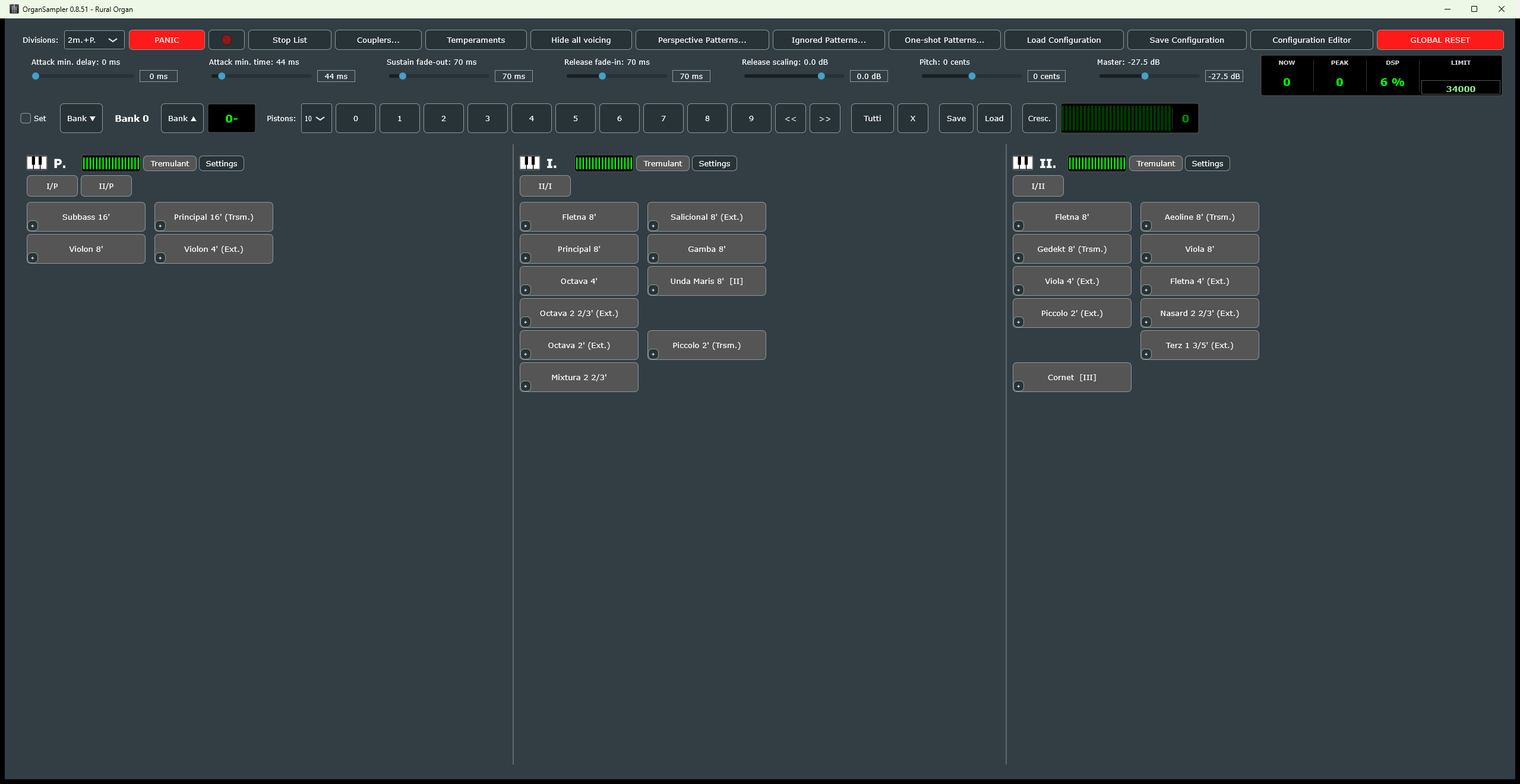
Four windows do the work: the console, the Stop List where the organ is built, the Divisions dialog with the audio routes, and the Configuration Editor with the manual one click away from every option.
01Build the organ yourself - from any sources
Load a folder tree of samples; the program recognises the stops, their footages and pitches from the files, the microphone perspectives from the folder prefixes, and proposes the divisions. Mix stops of different sample folders and producers into one console, move them between divisions, duplicate them as transmissions and extensions (a 16' from an 8' by transposition, a mutation from a principal), merge stops, merge a second configuration into the organ, arrange the grid. A Hauptwerk organ definition opens as a configuration as well. This is what sets OrganSampler apart.
02Every route on any sound card
Every perspective of every division is an audio route with its own device, buffer size and output channels - ASIO and Windows Audio side by side, several interfaces at once, an aggregated device for the rest. One IR reverb per route, mixed in parallel on the render workers. A measurement button finds the polyphony your computer reaches with this very organ.
03Voice every pipe
Per-key volume, pitch and tuning errors, celeste detection, temperaments (historical and your own), velocity layers, round-robin variants, a wind model with pressure drops and oscillation, tremulants per division, swell boxes, a general crescendo, combination banks, MIDI learn on every control.
04Missing pipes, filled
A rank with gaps, or a stop that exists only as an 8', is completed by pitch-shifted copies of the neighbouring pipes - several transposition methods, rebuilt offline into a cache, so that nothing is interpolated on the fly and nothing is altered silently.
05Fast, measured, honest
The sound engine renders on all cores with a lock-free control thread; the polyphony display shows the real peak, the DSP field the busiest audio callback. Every start, device, load and crash is written to an activity log, and "Report a problem" in the Configuration Editor turns it into a bug report with one click.
06The manual lives inside
The complete user manual is embedded: the question mark beside every option of the Configuration Editor opens the chapter that explains it, chapter names in the text are links, and a Find box searches it. Nothing is read from beside the executable; one file is the whole program.
What you need: sample folders (below), an audio interface (ASIO for the lowest latency on Windows; CoreAudio on macOS; ALSA or JACK on Linux), a MIDI keyboard or an organ console with MIDI out. RAM for the samples: a large wet organ with several perspectives needs tens of gigabytes; a small dry one runs on a laptop.